![Enflux_Horizontal_2C-1.jpg]](https://knowledgebase.enflux.com/hs-fs/hubfs/Enflux_Horizontal_2C-1.jpg?height=40&name=Enflux_Horizontal_2C-1.jpg)
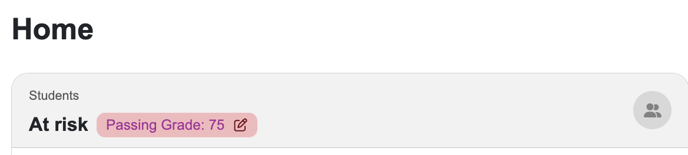
Using the Home Page menu, admin-level users may use the "Passing Grade" button in the Students At Risk tile to redirect to the Preferences page.
While Non-admin users will need to ask an admin-level user to adjust the site-wide threshold setting, they may still adjust the threshold using the "Set Desired Threshold" filter in any dashboard with that filter.
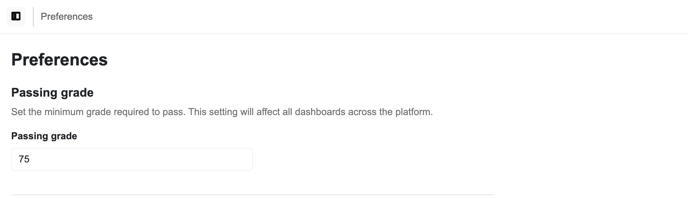 After navigating to the Preferences page, adjust the value in the "Passing grade" field and then click the "Save Preferences" button to finalize your changes.
After the next refresh of your system (which occurs throughout the day, every 90 minutes), this setting will be applied to all of your dashboards where a "Set Desired Threshold" filter exists.